Vicente Louvet III
Hardware Required
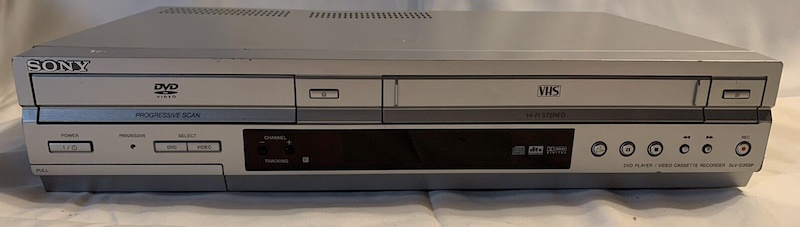
- VCR or VCR/DVD Combo unit (Using Sony SLV-D350 for this guide)
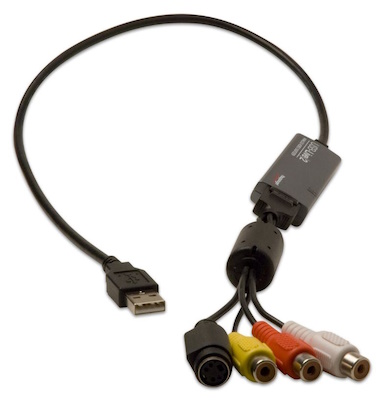
- Hauppauge USB-Live 2 (or other analog capture device)
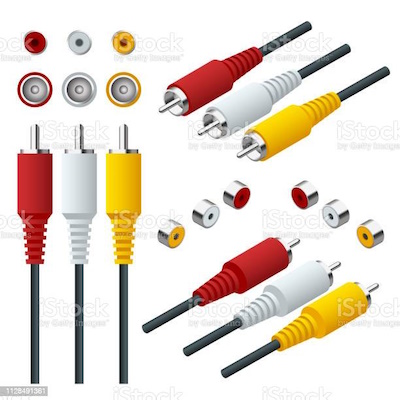
- RCA Y-W-R A/V cables
- Computer with H264 encoding

Software Required
- Linux - Ubuntu 22.04 (Other Linux distributions may work)
- ffmpeg
- v4l2
- vlc
setup process
- Install required tools and libraries
sudo apt install -y ffmpeg vlc v4l2
Commands Used
- confirm your computer supports hardware accelerated h264 encoding.
ffmpeg -hide_banner -encoders | grep h264 - query the v4l2 devices available. (Plug in your capture device into the USB Port first!)
v4l2-ctl --list-dev - Query the device’s video standard
v4l2-ctl -d /dev/video4 --get-standardResponse:
Video Standard = 0x0000b000 NTSC-M/M-JP/M-KR - If the device is not using the NTSC video standard use the following command to switch it:
v4l2-ctl -d /dev/video4 -s ntsc -
Use ffmpeg to save the A/V stream from capture device to file AND play on VLC
ffmpeg -f alsa -hwaccel auto -i hw:1 -f video4linux2 -i /dev/video4 -tune film -r:v ntsc -t 2:50:00 -f matroska pipe:1 MOVIE_NAME.mp4 | vlc -
-f alsa: Specifies the input format as ALSA audio.-hwaccel auto: Automatically selects a suitable hardware acceleration method.-i hw:1: Sets the input audio source to the ALSA device “hw:1”.-f video4linux2: Specifies the input format as Video4Linux2.-i /dev/video4: Sets the input video source to “/dev/video4”.-tune film: Applies video settings optimized for film content.-r:v ntsc: Sets the video output frame rate to NTSC standard.-t 2:50:00: Specifies a duration of 2 hours, 50 minutes, and 0 seconds.-f matroska: Sets the output format as Matroska container.pipe:1: Sends the output to the standard output (stdout).MOVIE_NAME.mp4: Specifies the output file name as “MOVIE_NAME.mp4”.| vlc -: Pipes the output to the VLC media player for playback.
Additional Resources
-
The information in this guide builds upon the resources availabe on the following site: http://www.tedfelix.com/linux/hauppauge-usb-live-2-linux.html
-
ffmpeg configuration options for hardware acceleration can be found at this site: FFmpeg HWAccel WiKi